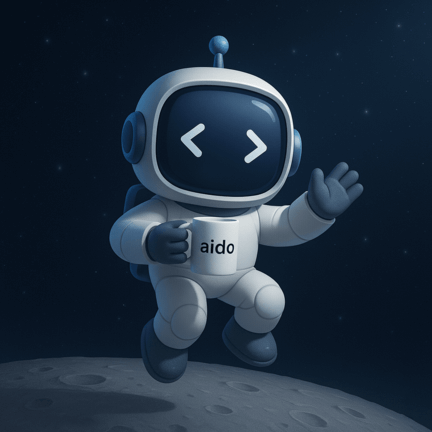
Aido

The AI companion for the pull requests your AI writes — open-source, multi-provider (Gemini, ChatGPT, Claude & any OpenAI-compatible model).

AI agents — Copilot, Claude Code, Cursor — are opening more and more PRs, and a human still has to understand code they didn't write. When an AI-authored PR lands, Aido can automatically explain, summarize, review, and document it — and you can run those same commands on any PR or issue on demand with aido <command>.

One companion for the whole review lifecycle, right inside GitHub Actions. Install it with a single workflow file — pin a release tag and you're done.

Fully modular, configurable, and extensible to fit your workflows. Works with GitHub Actions. Aido and Octocat are friends 👋 — choose different providers & models to help you ship better code faster with consistent, unbiased reviews.

Install with one file

Adopting Aido means committing a single workflow that runs everything from a pinned release tag — the moving @v1 tag keeps you on the latest. No scripts to copy, and upgrading is a one-line tag bump.

.github/workflows/aido.yml

name: Aido
on:
  issue_comment:
    types: [created]
permissions:
  contents: read
  pull-requests: write
  issues: write
jobs:
  aido:
    if: startsWith(github.event.comment.body, 'aido')
    uses: aido-dev/aido/.github/workflows/aido-dispatch.yml@v1
    with:
      aido_ref: v1
    secrets:
      CHATGPT_API_KEY: ${{ secrets.CHATGPT_API_KEY }}
      GEMINI_API_KEY: ${{ secrets.GEMINI_API_KEY }}
      CLAUDE_API_KEY: ${{ secrets.CLAUDE_API_KEY }}
      OPENAI_API_KEY: ${{ secrets.OPENAI_API_KEY }}

1) Add your API key

Add GEMINI_API_KEY (default provider) as a repository secret — or CHATGPT_API_KEY / CLAUDE_API_KEY for the provider you prefer, or OPENAI_API_KEY for any OpenAI-compatible endpoint (Mistral, DeepSeek, …).

2) Commit the file, comment away

Commit the workflow and comment aido help on any PR or issue. To customize a command, add its config file — no scripts needed. Prefer full control over prompts and scripts? The classic copy-based install still works.

← Back Full install guide

Run powerful commands from PR & issue comments

Trigger Aido from any pull request or issue using a short comment like aido summarize. Below are the core commands.

aido summarize

Produces a clean, action-oriented summary of the changes across files with highlights, risks, and follow-ups.

aido review

Full AI review: flags bugs, edge cases, style issues, and security concerns with inline suggestions and rationales.

aido suggest (alias: aido improve)

Auto-proposes refactors: clarity, performance, testing, and DX improvements with ready-to-paste patches.

aido explain

Explains tricky diffs in plain language, includes examples, trade-offs, and references for faster onboarding.

aido docs

Generates documentation drafts based on code changes in the PR, making it easier to keep docs in sync with implementation.

aido test New

Generates a structured test plan: proposed test cases, coverage gaps, fixtures, mocks, and regression notes — so PRs ship with the tests they need.

aido triage Issues

Comment on any issue to classify it, suggest labels from your allowed set, surface similar open issues, and recommend next steps — with optional auto-labeling.

← Back Get Aido on GitHub

How Aido works (with GitHub Actions)

1) Add one file

Commit a single workflow pinned to an Aido release tag (see Install) — or copy the workflows and scripts into your repo for full control. Aido listens for PR comments beginning with aido.

2) Choose providers & models

Configure Gemini, ChatGPT, Claude, or any OpenAI-compatible endpoint (Mistral, DeepSeek, …). Pick default models and per-command overrides.

3) Comment to run

Type aido review, aido summarize, aido docs, or aido test in your PR. Aido replies with structured output.

4) Modular & Extensible

Turn features on/off, add custom prompts, wire in org policies, or emit artifacts for audits and release notes.

← Back Docs & Setup

Why Use Aido 🚀

Aido helps developers and teams deliver better code faster with clear, unbiased AI assistance right inside GitHub. Here’s why developers love working with Aido:

Aido floating with code panel

AI-Powered Code Reviews

Get detailed, objective feedback on your pull requests — Aido reviews your code like a senior engineer, catching edge cases, style issues, and potential bugs.

Aido in a rocket

Speed Up Code Reviews

Reduce review backlogs and ship to production faster. Aido summarizes changes and provides instant insights, helping your team focus on what matters most.

Aido hunting bugs

Find Bugs Early

Spot potential issues before they reach production. Aido analyzes your changes and points out hidden risks and logic flaws automatically.

Aido and friend thumbs up

Seamless GitHub Integration

Aido works directly through GitHub Actions — just comment aido <command> on your PRs and watch Aido do its magic.

Aido winner

Simple for Everyone

No complex setup or AI knowledge required. Even non-coders can use Aido to summarize, explain, or improve code with a single comment.

Aido with a mug

Understand Code Easily

Aido explains tricky changes in plain language — perfect for onboarding, code reviews, and anyone who wants to understand what's really going on.

Aido with documentation

Keep Documentation in Sync

Automatically generate documentation drafts from your code changes. Aido helps keep your docs up-to-date without the manual effort.

Aido floating in space

Free & Open Source

Fully open source and community-driven — extend, fork, and customize Aido to fit your development workflow or company standards.

Aido high-five with octo-cat friend

Built for GitHub

Designed to blend perfectly with GitHub’s workflow. Aido lives where you work — inside your pull requests.

Aido planting a flag

Deliver Better Code, Faster

Combine all of Aido’s powers to reduce technical debt, increase quality, and ship confidently — every single time.

← Back Get Started on GitHub

About Aido

Aido lives at aido-dev.ai and is built for modern teams shipping fast on GitHub. It keeps reviews consistent, reduces cognitive load, and surfaces risks early — without getting in your way.

  • Open-source, community-friendly
  • Provider-agnostic: Gemini, ChatGPT, Claude, or any OpenAI-compatible endpoint (Mistral, DeepSeek, …)
  • PR-native UX through GitHub Actions
  • Configurable prompts, policies, and outputs

← Back Contribute on GitHub